

Apple iOS27 Preview for Photographers
New looks, new tools



Apple has opened up its beta of the iOS software for iPhones, offering a nice early demo of the new features which will be available not only for the next iPhone, but previous editions back to the iPhone 11 Pro as well.
I’ve been using iOS27 (which will be officially released in September) this week, and let me fill you in on some of my favorite highlights for shutterbugs:
—Two new editing features have been added to the Camera app, called Reframe and Extend, which let you alter the photo with AI tools. Which is either a good thing or a bad thing, depending upon your point of view.
—The Siri digital assistant has been added to the Camera app for visual search, to ask for information about food, flowers, historical buildings and other things. Somebody at Apple obviously thought this was a good idea, but as a camera person who scrolls between photo and video in the app all the time, do I really want to see Siri listed there as I make way up the dial to Pano for wide screen photos. (No!)
—If you screen record (and I do this a lot) direct from the phone, you can now have audio added to your video screen recording. For instance, I recorded a portion of a YouTube video, and for the first time I could watch and hear it. I love this! Isn’t that a copyright violation? Not if people don’t distribute the video.
—For the first time, you can have Apple create a photo still shot from your video frame, which is also huge. In the past, getting frame grabs from a video has been a lot of steps resulting in a low-resolution image. I’ve had to create a screen shot, and crop it heavily to take out the extra screen stuff beyond the photo.

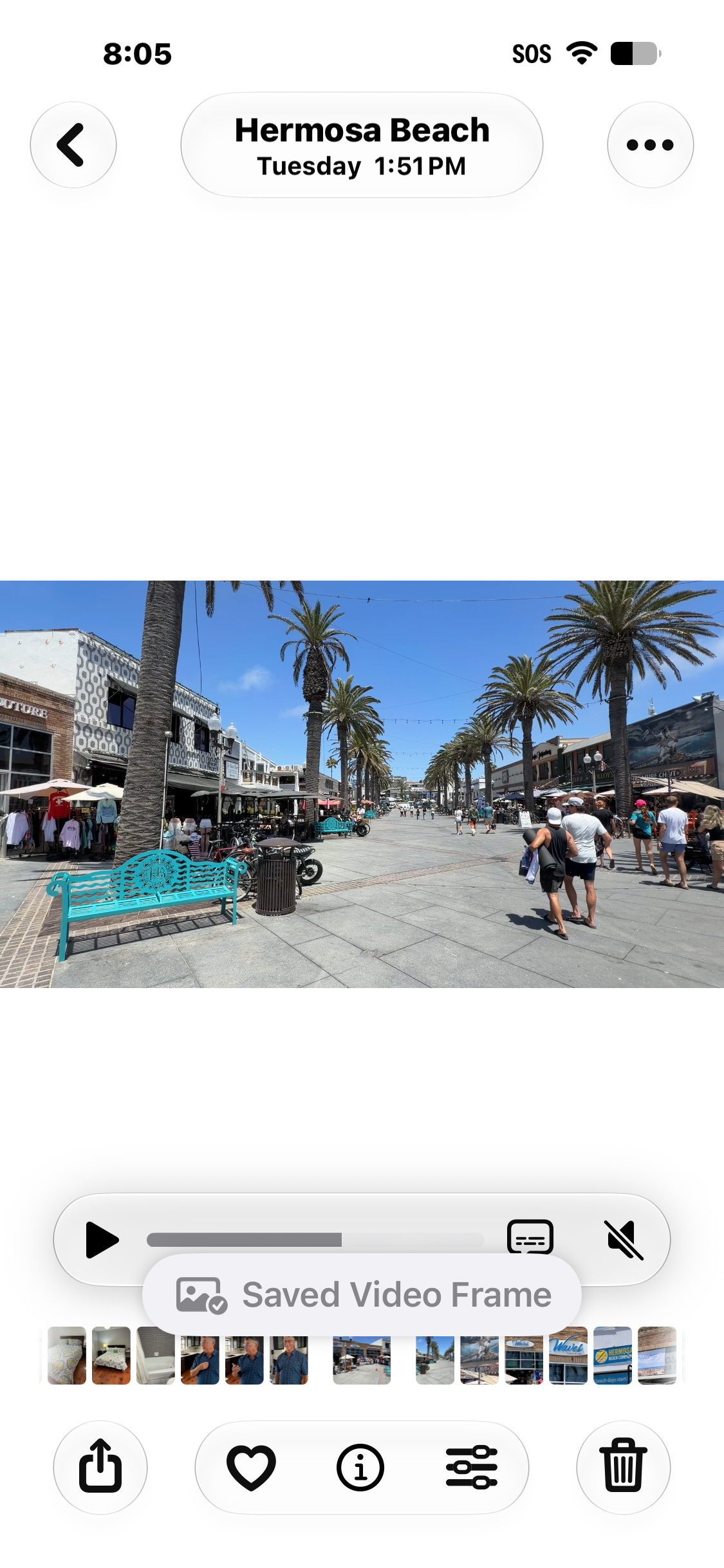
—The layout of the Camera app has moved some things around, putting tools in new places, and using new indicators to make it easier for us to grab a hold of them.
—iOS27 has a dedicated Siri AI app, which touts a smarter, chattier, more responsive personal assistant. (You need an iPhone 15 Pro or newer model to be able to use it.) In my chats with the app this week, yes indeed, Siri seemed to be way smarter, and you could certainly have a rolling conversation with the robot, without having to say “Hey, Siri,” every time you posed a question. But it still got some things wrong, and seems to be more of a work in progress than some of the other features.
Speaking of which, let’s dive into those two new, heavily advertised photo tools in the Camera app.
Extend
Open the Camera app, click tools, and you’ll see three categories: Clean Up (which we’ve already had on later iPhones, used to erase objects you don’t want from a photo) Extend and Reframe. Extend lets you stretch the sides of the photo to add more, as you can see below. This is pretty cool stuff, especially for those who take vertical photos that might want to be repositioned as a horizontal image one day.
What’s amazing is that Apple’s AI was able to take the information and add the red umbrellas from Cafe Bonaparte in Hermosa Beach, California so perfectly.


Reframe


If you don’t like the way your subjects are positioned in the photo, you can put your fingers on the iPhone screen and move them, as I did with this selfie at the Good Stuff restaurant in Hermosa Beach, with owner Cris Bennett.
This feature will take more getting used to than the others, and a lot of trial and error. The above photo worked out pretty well, but the others I tried just basically turned the subject slightly, instead of moving them, as you can see below.


See how Hermosa realtor Lenny LaRocca’s body shifted slightly? I wasn’t able to pinch and move him to the right or left, as promised from the feature.
Other new things to look out for:
A new visual look to the power off screen
The iPhone clock can now be fine-tuned to the name of the city you might actually live in. For as far as I can remember, this Southern California resident has been associated with Cupertino in NorCal for Pacific Time. Now I get to choose L.A.
If you phone someone on their birthday, balloons will fly on the screen, as they do in a text message.
The two most important hidden tools in the Settings app—the ability to turn on the Grid and Level for better composition, are now also featured in the multi-dot menu of the Camera app in the Video and Photo sections. This is the one that also spotlights flash, the amount of blur you want in a Portrait photo, Live photos, Timer, Exposure adjustment, Styles, Aspect Ratio choice, Night Mode and whether you want to take the photo in JPG or the smaller size HEIC format. They are hidden underneath all the others, but at least you don’t have to only go to Settings to turn them on.
How to Download the iOS 27 Public Beta
For years, I’ve always recommended to download the new iOS in the summer if you don’t mind dealing with bugs, or if nothing else, try it on a second phone.
This year, so far, no bugs, no wishing I could go backwards.
Apple recommends you do a backup of your phone first to iCloud or your computer. To download, visit Apple’s Beta Software Program and sign in with your Apple Account.
On your iPhone, go to Settings > General > Software Update.
Tap Beta Updates.
Select iOS 27 Public Beta.
Return to Software Update, tap Download and Install, and follow the prompts

In other news: More on Susie’s iPad
Remember my post from the other day about the 4 week old iPad that turned out to be a lemon and how the Apple Store wouldn’t replace it with a new unit?
I have an update.
To recap: I bought the entry level iPad for my neighbor as a gift, only to learn that after 4 weeks it wouldn’t hold a charge. We brought it into the Apple Store to return it, where it was confirmed that it indeed wouldn’t charge. But instead of swapping it for a working replacement, the associate told us he had to send it to Apple repair for a diagnostic to confirm the issue and to fix it. He said Susie would have it back within a week.
We were both livid. Imagine this happening with other defective products that were under warranty?
It gets worse: After five days with the iPad, Apple wrote to Susie and said it needed more time to diagnose the problem. We brought the unit in on Sunday, they received it on Tuesday, and by Thursday they couldn’t figure out what the issue was. (I’ll make it easy for them: it won’t charge.)
Apple has a 14 day return policy. The point of the post was to inform readers that perhaps they don’t want to buy iPads at Apple Stores, as poor Susie is without the unit that I bought for her. I recommended Costco, as they have a 90 day return policy.
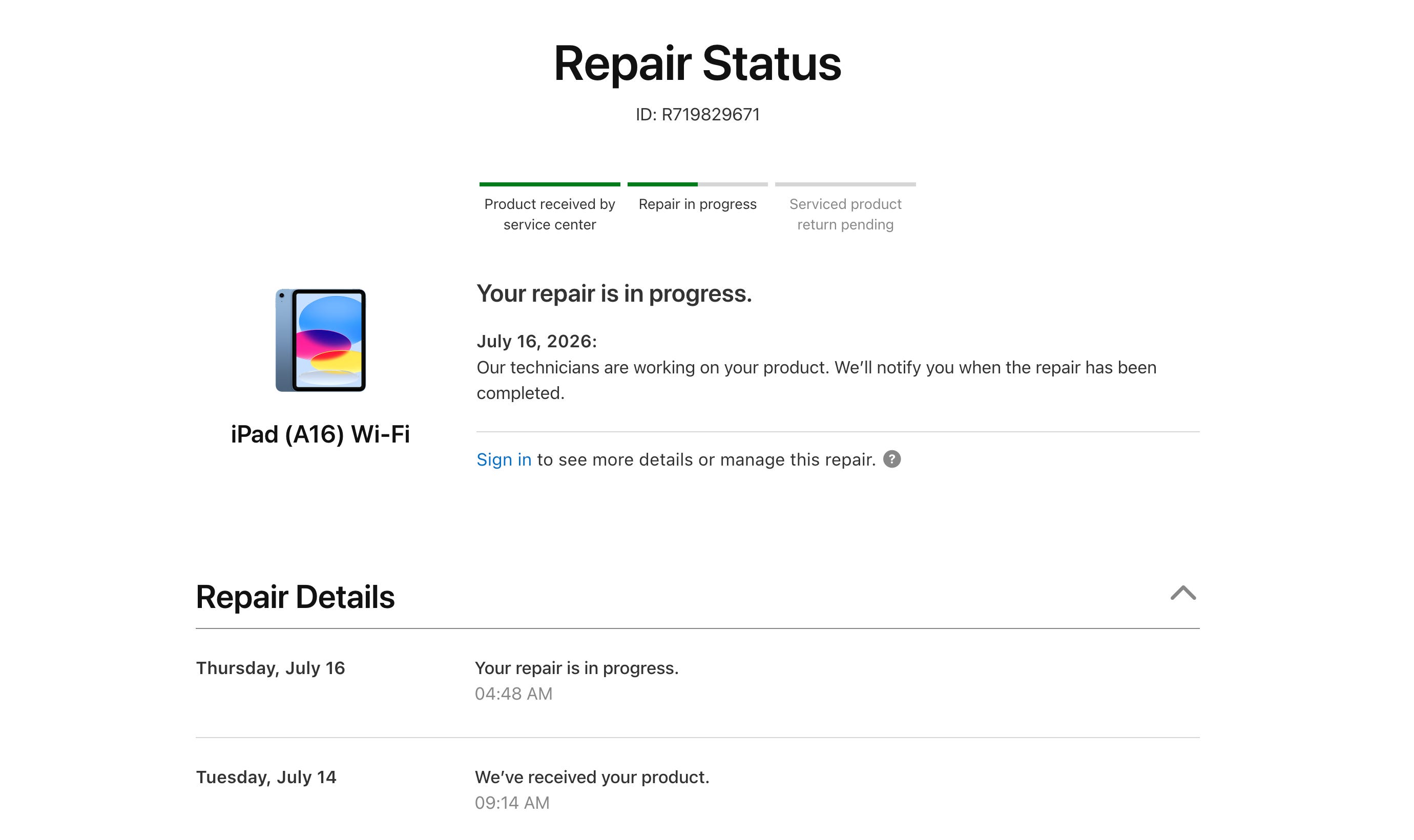
Our friends at B&H Photo in New York saw the post, and wanted us to remind readers that not all stores react like the Apple Store. “B&H has a 30-day return on iPads. If defective or if the customer simply decides not to keep it. If defective, B&H pays the shipping return.”
Link to buy from B&H
From one promo to another: shopping for tech gear? Be sure to check out our page at the B&H website.
Fine print: we get a small commission if you do purchase.

For the longest time, I’ve refrained from taking early morning photos of the Manhattan Beach Pier because, well, I’ve done it so many times. But hey, it’s summer. Leaving the house at 5:30 a.m. and going down to the beach (I live a mile away) in July is such a treat—we’ve had low tide all week in the morning. So yeah, can’t help myself. And I’ll probably do it again on Monday too—but perhaps with another angle!
On that note, thanks as always for taking the time to watch, read and listen. If you enjoyed today’s newsletter, please share it with a friend. And look for another one for me tomorrow, about a really special Sunday episode of Photowalks, where I go home again!
Jeff