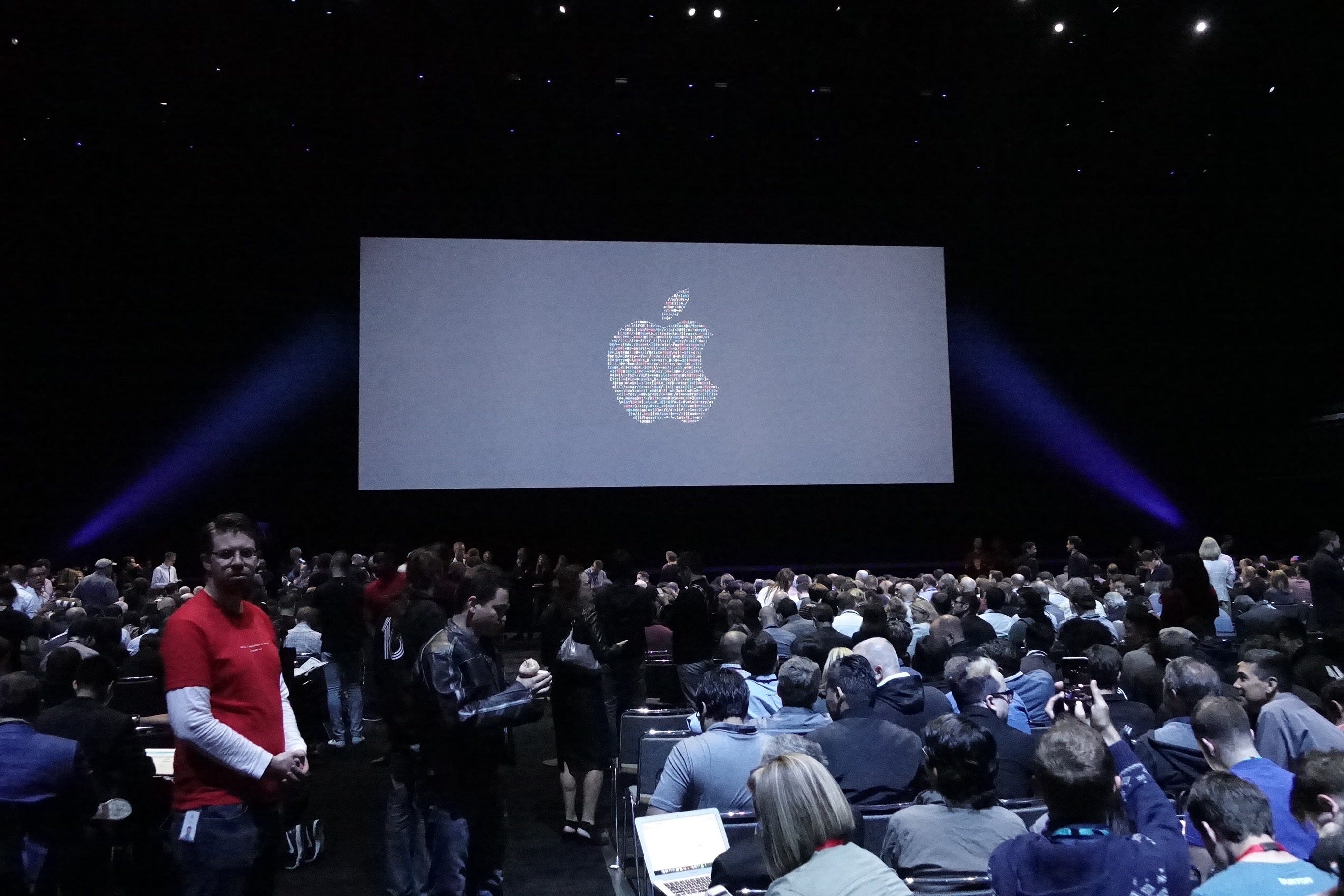
Hey Siri, it's Apple's WWDC Time Again!
Can't wait to see your all-new look!
Every June, Apple gives a state of the company report to thousands of developers, the folks who create apps for iPhones, iPads and Macs, in the hopes that they will make amazing things we’ll all want to use.
The event is called WWDC, for Worldwide Developer’s Conference (or “Dub Dub”) and this one will be more interesting than most in that it will be CEO Tim Cook’s swan song, as he passes the baton to new CEO John Ternus. The new CEO will presumably ride solo in September when Apple introduces the new iPhone at the annual post Labor Day event in Cupertino, since Cook has said he plans to retire on Sept. 1.
WWDC is always fun, as consumers get from it a good idea of what the next iPhone will be like, as Apple reveals many new software features that are coming—which will work on new models and recent older ones as well.
However, the only feature most folks really care is that all-new Siri, the personal digital assistant that Apple has been promising for two years, and claims we’ll really see it Monday!
You’ll recall that Apple had egg on its face at WWDC two years ago when it announced new AI features (“Apple Intelligence”) that would be coming, with the key feature being that new, more powerful and chattier Siri personal assistant it said would be coming with the iPhone 16. That was in 2024. We’re still waiting!
This time, Apple is expected to finally make good, but with a difference. It’s thrown in the towel on its own development, and has potentially solved its AI problem by outsourcing it to Google. Apple has announced that Siri will be running Google’s Gemini AI.
The main gist is that Siri will have a memory, like ChatGPT and Gemini, and will have rolling conversations, and also be able to decipher photos and generate images as well.
How it will act, what it will look like, how different it will seem from Google’s own Gemini app, those are the things we’ll find out when Apple reveals all Monday at 10 a.m. PT. You can watch the whole show at http://www.apple.com
What about photo editing?
For years, Apple has enticed us with promises of voice search for finding photos in the Camera Roll (“Siri, show me my photos of the Oregon Coast”) but it always comes up short, showing me someone else’s photos of the Oregon Coast. $#@!!!!
This year, some analysts are hyping ways Apple might finally solve the lost photos problem with AI.
Bloomberg’s Mark Gurman, the dean of Apple reporters, says the Camera App is going to take a page from the Samsung playbook and finally allow us to customize features, mixing and matching only the ones we actually want to use. For instance, how many of you have ever turned to the “Spatial” section in the Camera App and wondered why it was there? (It’s only for creating photos for the $3,000 Vision Pro headset that I’m betting not one of the newsletter readers own. It’s been a bomb.)
Nobody knows anything until Apple actually announces it, but there are suggestions that we might be able to use AI to fix photos in new ways that could be very helpful. This would allow you to stretch the boundaries of a photo after it’s shot. If you accidentally cut off the top of a building or the bottom of a landmark, the AI could naturally generate and fill in the missing scenery beyond your original framing.
This would be fantastic, as many of us miss those things all the time, especially in bright sunlight.
But if I had to choose, I’d want Siri to actually find my photos, as promised. I spend half my life searching for them, so I can take all the help I can get.
Here are 3 other features I’d love to see in a rejiggered Camera app.
Fix Night Mode in a way that people actually understand. The concept is great—use the feature to take photos in the dark that now look better after you access it. But the tools are hidden in a sub-menu, they only come out at night (like Dracula), and you have to tweak the tool big time to get Night Mode shooting at the maximum open shutter. It’s too complicated. Apple is great at making complex things understandable for consumers—but this one has been a fail. Upgrade time!
Audio meters visible in the video section of the Camera App, to show me that I really have audio when I plug in a mic, instead of having to do audio tests over and over again. I can’t be the only one who wants and needs this pro feature. The free Blackmagic Camera app has it, and because of that, it’s my go-to video app. The problem is that I can’t shoot stills with the Blackmagic app, so I have to go back and forth between the two.
Manual controls for timelapse videos. I want to be able to set the intervals, not have Apple choose them for me. Apple’s camera app is automatic only, and it tweaks what you record by not allowing you to make a timelapse video any longer than 30 seconds. (Yup, the Blackmagic app lets you do it any way you want—shoot for an hour, two hours, three days—as long as you want to.)
Readers, what new features or fixes would you like to see in the Camera app? Let me hear from you!
Coming up on Scripps News and YouTube Sunday: the latest episode of Photowalks and the 2026 Walkies Awards edition. This time we’re looking at the 15 best walks in the USA. Don’t forget to catch the show Sunday at 10 a.m. ET and see if we’ve included your favorite.
Meanwhile, if you’re reading this early Saturday morning, I’m just finishing up my two week tour of the Indiana and Kentucky backroads, with additional stops in Indianapolis, Evansville and Louisville. If it’s later in the day, I’m on a plane headed for home.
Speaking of the Bluegrass state, you gotta love Bardstown, the Hallmarkesque small town in the heart of the Bourbon Trail. Where else could you pay a visit to the Old Kentucky Home state park, meet a tour guide named Kit Mills and get an impromptu take on the state’s song? Thanks Kit!
(Celebrating 6/2 in Evansville was a huge kick too!)
Meanwhile, next stop: Juneau, Alaska!
As always, thanks for spending time with the newsletter, watching, reading and listening.
Jeff