

Unpacking AI's Confusing Anti-Consumer "credits"
Perplexity is the worst offender

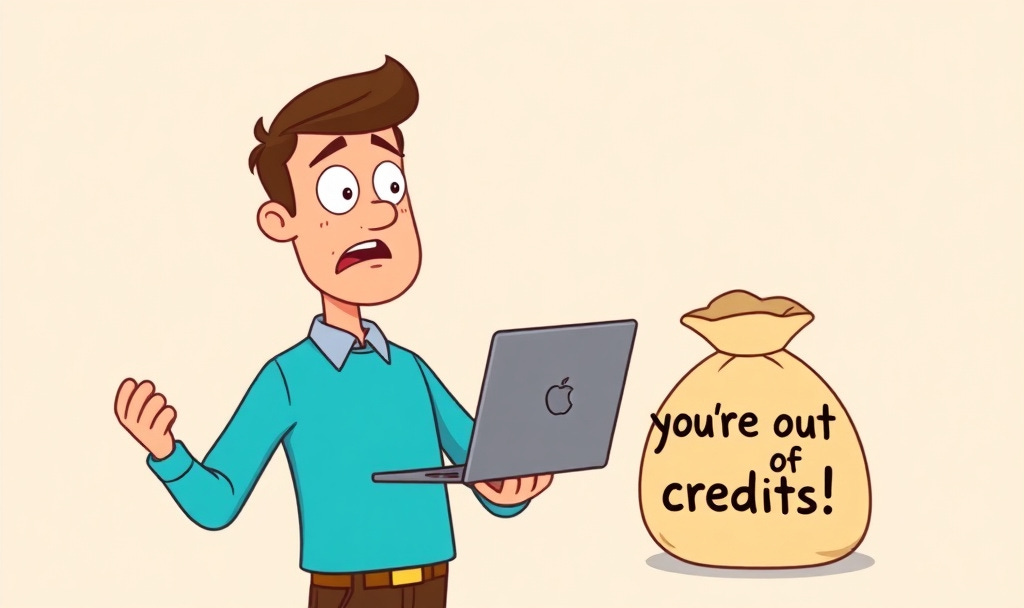
What exactly is an AI “credit?”
I’ve been wondering this a lot lately, as I explore more and more AI tools that charge a monthly subscription, and then tack on extra fees in the form of un-explained “credits” you need to complete tasks.
Asking questions is free, up to a point. If you ask too many, you’ll need to upgrade to a next level plan. I understand that.
But several AI websites say that if you want specific tasks completed, you’ll need to also buy credits to get them done.
The worst offender is Perplexity, which I have found to actually be my favorite for daily usage, but the credit thing bugged me so much, I canceled my $17 monthly “pro” plan and can’t see myself ever returning. That is, unless Perplexity and others like it want to start playing it straight with consumers.
I’ve also run into “credit” issues with YouTube related AI websites like Thumbnailcreator.com and Creatorhooks Pro. More on them in a minute.

First let’s look at rates from the big three:
OpenAI’s ChatGPT is free until you start using it too much. Then it jumps to $8 monthly for more usage and $20 for even more.
I use ChatGPT every day and once I upgraded, have never run into a nag message telling me I’d used too much and would need to upgrade.
Google Gemini is free for asking questions, until you ask too many, then bumps up to $4.99 monthly with “2x” higher usage limits, or $19.99 for “4x” more usage. Whatever 2x and 4 means, as its not really specified.
I have the $20 plan, and like with ChatGPT, haven’t been nagged since I upgraded. I use Gemini all day too. (As part of the $20 plan, you also get 5 terabytes of storage space on Google Drive, which is a really nice bonus.)
Claude, from Anthropic, starts at free, then goes to $17 monthly for a higher but unspecified usage rate. I have the free version, and got nagged when I asked it to create a photo rich PDF based on one of the Photowalks episodes. I got one done, but the second one stalled due to the nag.
Which brings us to awful Perplexity, which charges $17 monthly, and gives you “4,000 free credits” to use its “computer” feature for the first month of subscription. In the second month, after you’ve barreled through your credits, you have none, and are asked to buy more. Each $1 spent gets you one credit. Whatever that means.

There’s no rate sheet telling you what a specific task costs. How many credits do I need to create the travel PDF I mentioned? Perplexity is running a Facebook ad offering to audit and optimize your YouTube channel. How many credits does that take?
Perplexity tells me the credits are needed for creating reports, slides, charts and tasks that connect apps, like Gmail and Google Sheets. But again we need some transparency, and people like you and me to cancel their subscriptions in protest until they come clean.

I use a program called Creator Hooks Pro which also has a monthly subscription, and then issues credits when you want to start diving in more.
The program compares your YouTube channel to others to help you find good titles for the video, and now, with the “Pro” version, consults with YouTube success advice with a better knowledge than a ChatGPT or Gemini, because it’s purely YouTube.
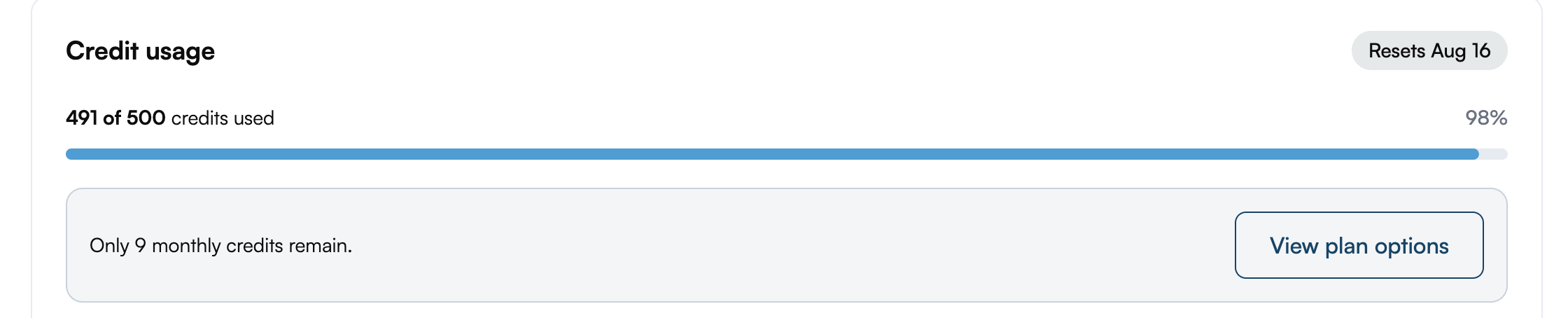
I picked up the $19 monthly plan, which has 500 credits, and I barreled through them in several days.
Luckily, Creatorhooks has a human being who responds to questions from people like me, Jake Thomas, and he was able to explain what the credits were actually for, as there is no breakdown on the website.
“Strategy questions, attaching transcripts, etc all use credits depending on how long the transcript is or much research is required to answer the question,” he said.
I suggested he post this on his website, to inform consumers about a credit means, and unlike arguing with the Perplexity computer about the credits he said he would. Thank you Jake!
With services that aren’t ChatGPT or Gemini, you can ask away, but once you start advancing to reports, image creation and things like that, you will be dinged with the cash register asking for more.
So again, if you don’t like this approach, speak up, complain, cancel. Because the AI revolution, love it or hate it, ain’t going away.

Newsbytes:
—Samsung introduced its latest round of new phones in London this week, raising list prices by $100 on several models and also making me wonder what universe Samsung execs are living on. While much of the world is grappling with cost of living issues, Samsung is releasing its most expensive phones ever. The Galaxy Z Fold 8 starts at $1,900 and climbs to $2,500 maxed out, while the Ultra model starts at $2,100 and soars to $2,700. Samsung has been making these foldable phones, which offer a larger screen in a smaller package, for several years now. In September, consumers will get to see Apple’s answer to the foldables when it releases one as well, and yes, Apple is also expected to top the $2,000 price tag as well. Good luck folks!
—Speaking of Apple, Bloomberg’s Mark Gurman reports that the company will soon announce a leasing program to seemingly lessen the monthly costs of owning iPhones and other Apple products. But don’t be fooled. You’ll still be paying top dollar, just over time, with a difference: you don’t own the product. But it could be a way to get your hands on newer devices every year less painfully.
—Remember the issues we’ve been talking about, re the higher costs of memory that has affected the price tags of Apple products, solid state and flash drives? General Motors said this week it’s been stung by them too, and that it expects North American vehicle pricing to climb about 0.5% this year due to RAM costs.

Apple Still Has Susie’s Ipad after 20 days
If you’ve been following my saga about the brand-new iPad that wouldn’t hold a charge and its return to the Apple Store, I have an update for you.
Purchased June 11th as a gift for my neighbor Susie.
Returned July 5th, when it wouldn’t charge past 3%.
Sent off to the repair “depot,” with the advisory that it would be back within a few days.
As we publish on July 25, Apple still hasn’t replaced the bum unit.
This week, I called Apple Support and tried to get to the bottom of it. They told me to go to the Store and complain. Which I did.
At the Store, they refused to replace it, but offered me a free iPad case to make up for my woes. Which I didn’t need, and declined. And they told me to call Apple Support and demand a senior advisor if I wanted to get the iPad back.
I called Support and they told me to go back and talk to the Store.
Round and round it went.
I called again on Thursday. The iPad is still at the repair depot.
I’ve tried asking every variation of the question, “How long will you keep it in repair and out of the consumer’s hands before giving up” and replacing it?
The answer: there is no answer. Apple reps couldn’t name a time frame.
Does Apple state a date in its listed policies online?
Not that I’ve been able to find out.
ChatGPT phrases the question like this: "Can you show me the Apple policy that states how long a customer should reasonably wait for warranty repair of a nearly new iPad before Apple authorizes replacement?"
Again, there’s no answer.
Imagine if this had been an iPhone which didn’t hold a charge and Apple took your communication device away from you for two and a half weeks.
At this point, I just want to remind readers again that the Apple Store is not where you should be buying iPads. The return policy for all Apple products is 14 days. Once those days have passed, you get sent to the dreaded repair Depot.
Target and Best Buy also have 14-day return policies. B and H Photo in New York has a 30-day return policy for iPads. Costco has a 90 day return policy.
Obviously you have better choices for your purchase dollar.
I’ll let you know if Apple ever does indeed return the iPad to the paying customer.
The Sights and Sounds of Summer
If you happen to be by the beach these days, you might want to take a moment, find a Pier and lean over to watch the ocean waves come in and out. Nothing screams summer like crashing waves and the sounds of kids having a ball. (I shot the above clip by standing over the Hermosa Beach Pier with an iPhone, and holding the camera steady for 15 seconds.)

Thanks as always for taking the time to read, watch and listen. Take a moment this week to find a sunset—even if it’s on a street corner instead of the beach. It’s still one of the greatest free light shows in the world.
If you enjoyed today’s edition, please pass it on and share it with a friend!
Jeff